
WinOMS vs DSN Cloud

WinOMS slowing you down?
Meet the fix.

Switch to DSN and unlock a true cloud-based system built for oral surgeons — spend less time wrestling software and more time growing your practice.

See full WinOMS vs DSN comparison
900+
Practices on DSN
6–10 wk
Migration timeline
9 mo
Avg. time to positive ROI
50%
Less charting time
Book Your Demo
See DSN vs WinOMS live
Fill out the form and a DSN specialist will walk you through exactly what changes when you switch.
No commitment
U.S.-based OMS team
HIPAA compliant
Why Practices Switch

Dozens of practices have switched for a reason

WinOMS ties you to on-premise servers, manual tracking, and referral logging with no analytics. DSN gives you browser-based access, automatic implant tracking, vendor-neutral imaging, referral analytics, and automated medical cross-coding.

Server-Based Infrastructure
WinOMS ties your practice to on-premise hardware. IT contracts, VPN dependencies, and scheduled downtime for updates are built in.
Carestream Imaging Lock-In
WinOMS is optimized for Carestream hardware. Using any other CBCT brand or sensor requires workarounds or bridging software.
Manual Cross-Coding and Billing
Medical billing in WinOMS requires manual CPT/CDT cross-coding. Errors go undetected until claims are already rejected.
Infrequent Updates, Scheduled Downtime
WinOMS updates are infrequent and require scheduled downtime. Your practice has to plan around the software — not the other way around.
Hosted Legacy
WinOMS Hosted · by Carestream Dental · server moved, software unchanged
WinOMS Hosted
  • Infrastructure moved to Carestream’s data center — but accessed via Citrix or remote desktop, not a true browser
  • Same WinOMS interface and architectural limitations — only the hardware location has changed
  • Performance tied to your internet connection — slow connection means a slow experience
  • If Carestream’s hosting environment goes down, your practice goes down
  • Same lag, database bloat, and limitations as on-premise — just in a different building
True Cloud Platform
DSN Cloud · Built exclusively for oral surgery, periodontics & endodontics
DSN Cloud
  • True browser-based platform hosted on AWS — no server, no remote desktop, no Citrix session
  • Access everything from any device through a web browser — consistent performance by design
  • Updates happen automatically — no downtime to schedule, no manual installs
  • Automated backups and built-in disaster recovery — your data is always protected
  • Architecture built from the ground up for cloud delivery — lag and database bloat don’t exist here
Full Feature Comparison

WinOMS vs. DSN: Feature by feature

Feature WinOMS (Legacy) DSN Cloud Why DSN Wins
Infrastructure On-Premise Server (or hosted Citrix) Serverless Cloud (AWS) Cloud No server hardware, no IT contracts, no VPN. Browser-based from any device.
Imaging Optimized for Carestream only Vendor-Neutral (Open Architecture) Open Use any CBCT or sensor brand. No hardware lock-in.
Inventory Manual / Spreadsheets Real-Time Implant Registry Auto Tracks lot numbers, expiration dates, and usage automatically.
Clinical Charting Click-heavy / Multi-window AI Voice Charting + Single Pane AI Dictate operative reports. History, imaging, and plans on one screen.
Multi-Location Expensive networking required Native Multi-Site Dashboard Native All offices managed from one login. No special infrastructure.
Support General support queue U.S.-Based OMS Experts U.S. Trained on surgical coding, referral workflows, and OMS billing.
Medical Billing Manual cross-coding Automated CPT/CDT Cross-Coding Auto Claims validated against payer rules before submission. Fewer rejections.
Remote Access VPN or Citrix Remote Desktop Browser-Based (Instant) Instant Open Chrome from home, satellite office, or the hospital.
Updates Manual / Requires downtime Automatic Monthly Updates Auto Always current. Zero disruption to your schedule.
Referral Tracking Basic logging Full Referral Analytics Analytics Track sources, revenue per referrer, trends, and marketing ROI.
See the Difference Live Book a personalized demo. No commitment.
Real Migration Story

See How a 4-Location Practice Made the Switch From WinOMS

Dr. Joshua Everts of Community Oral & Facial Surgery gives an unfiltered walkthrough of migrating his busy 4-location practice to DSN. He covers the specific WinOMS limitations that forced their hand, the real fears vs. what actually happened during migration, what broke during the move and how they solved it, and the unexpected efficiency gains they found on day one.

DSN Cloud has been instrumental in streamlining our operations. Their intuitive platform enhances patient flow, simplifies scheduling, and provides the data-driven insights we need.

Dr. Joshua Everts
Dr. Joshua Everts
Community Oral & Facial Surgery
What you’ll hear
The specific WinOMS limitations that forced their hand
Migration reality
Real fears vs. what actually happened during the move
Honest account
What broke during the move and exactly how they solved it
Day one results
Unexpected efficiency gains they found immediately after go-live
The Migration Process

How the switch from WinOMS to DSN works

Switching practice management software sounds overwhelming. DSN has migrated hundreds of practices, many from WinOMS specifically. Here’s what the process typically looks like.

1
Weeks 1–2
Data Extraction and Mapping
DSN’s dedicated migration team extracts patient demographics, clinical notes, financial history, images, and referral records from WinOMS. Accounts receivable, ledger balances, and insurance plans are mapped into DSN so your financials are accurate from day one.
2
Weeks 3–4
System Configuration
Your DSN implementation specialist configures the system around how your practice actually works: surgical note templates, scheduling preferences, billing rules, referral workflows, and user permissions. This isn’t a generic setup — the team understands OMS because that’s all they do.
3
Weeks 5–6
Staff Training
Hands-on training for your entire team, broken into role-based sessions for front desk, clinical, billing, and surgeons. Training is conducted by people who understand oral surgery operations, not generic software trainers reading from a script.
4
Weeks 7–8
Go-Live
Most practices run both systems simultaneously for a short overlap period to ensure everything transferred correctly. DSN’s support team is available during go-live for real-time troubleshooting.
Total timeline
6–10 weeks for most single-location practices.
Multi-location or high-volume practices may take 10–14 weeks.
Plan Your Migration
Common Questions

Frequently Asked Questions

WinOMS is not being discontinued for existing users, but Carestream (now Sensei) has positioned it as a legacy product. Their investment and product development focus is on Sensei Cloud, which they describe as their modern, cloud-based platform designed for the future of oral surgery practices. WinOMS users can continue receiving support, but the software is no longer the company’s primary product.
WinOMS Hosted moves your existing server infrastructure to a Carestream data center. You access the same WinOMS software through Citrix or a remote desktop connection. DSN Cloud is a true browser-based platform built on Amazon Web Services. There is no server, no remote desktop, and no Citrix. You log in through a web browser on any device.
Yes. DSN Cloud is vendor-neutral and integrates with Carestream sensors and CBCT units, as well as imaging hardware from other manufacturers. Switching software does not require replacing any hardware.
WinOMS requires multiple separate windows and excessive clicks. DSN Cloud uses a single-pane-of-glass design where medical history, imaging, treatment plans, and billing context are all visible on one screen. DSN also includes AI-powered voice charting for dictating operative reports, eliminating after-hours documentation.
Yes. DSN Cloud includes a real-time implant registry that tracks lot numbers, expiration dates, and usage automatically. This eliminates the manual spreadsheets that most WinOMS practices use for inventory management, and ensures complete traceability and compliance for every case.
DSN Cloud has a medical-first billing engine that automates the cross-coding of dental CDT to medical CPT codes and validates claims against payer rules before submission. WinOMS supports medical billing but cross-coding is largely manual, which means errors go undetected until claims are already rejected.
DSN has a dedicated data migration team that specializes in extracting records from WinOMS. The process covers patient demographics, clinical notes, images, financial history, ledger balances, insurance plans, and referral records. The typical migration timeline is 6–10 weeks for a single-location practice.
Most DSN training takes 2–3 days of role-based sessions. Because DSN was designed specifically for oral surgery workflows, the learning curve is shorter than expected. DSN’s training team has direct experience in oral surgery operations, not generic software training.
Not typically. WinOMS requires on-premise server hardware, IT support contracts, VPN or Citrix licensing, and manual workaround time. When you add up server costs, IT contracts, third-party subscriptions, and administrative time lost to manual workflows, DSN Cloud’s subscription pricing is often comparable or lower. DSN includes unlimited devices at one price.
DSN Cloud runs on AWS with automated backups and built-in disaster recovery. Your data is stored redundantly across multiple availability zones. Unlike WinOMS on-premise, there’s no single server that can fail and take your practice offline. DSN maintains a published uptime SLA and incident transparency page.
Side-by-Side Comparisons

Comparing other platforms?

Explore detailed feature-by-feature breakdowns of DSN versus the leading alternatives in oral surgery and specialty dental.

vs. DSN
Sensei Cloud
General dental roots vs. surgical specialty depth. Sensei was built for general dentistry and adapted for OMS. DSN was built exclusively for surgical specialties from day one.
  • OMS-native workflows vs. general dental adaption
  • Vendor-neutral imaging vs. Carestream ecosystem
  • U.S. OMS support vs. general support queue
Compare Sensei vs DSN
vs. DSN
CareStack
Multi-specialty platform vs. surgical depth. CareStack serves broad dental groups. DSN is built specifically around the clinical and billing complexity of surgical specialties.
  • Surgical specialty depth vs. general multi-specialty
  • Automated CPT/CDT cross-coding built in
  • Real-time implant registry vs. manual tracking
Compare CareStack vs DSN
vs. DSN
OMS Vision
Legacy OMS platform vs. modern cloud. OMS Vision has deep OMS roots but aging architecture. DSN delivers the same surgical-specific depth on a true cloud platform built for today.
  • Browser-based cloud vs. server-dependent access
  • AI voice charting vs. manual documentation
  • Automatic updates vs. scheduled downtime
Compare OMS Vision vs DSN

From Practices That Made the Switch

Heard straight from the teams who switched

DSN Cloud has been instrumental in streamlining our operations across our growing network of oral surgery practices. Their intuitive platform enhances patient flow, simplifies scheduling coordination, and provides the data-driven insights we need. The team truly understands the unique needs of oral surgery practices.

Dr. Joshua Everts
Dr. Joshua Everts
Community Oral & Facial Surgery · 4 locations

Since switching to DSN, everything’s faster. I have more time on my hands. It was a little more expensive upfront, but you get what you pay for. In hindsight, we should have gone with DSN from the beginning.

Dr. Rick Schmid
Dr. Rick Schmid
Sunrise Oral Surgery

I have been in practice over 20 years, and tested almost all OMS EMRs. Without doubt DSN is the best software out there. Excellent functionality, useful reports and overall ease of use. Highly recommend it.
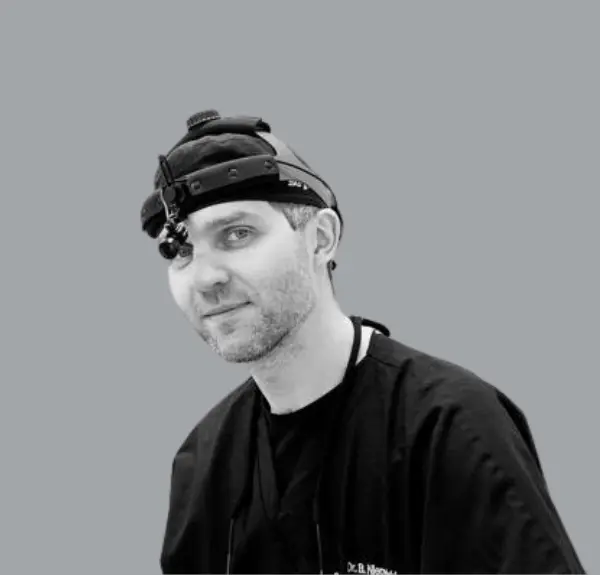
Dr. Bart Nierzwicki
Dr. Bart Nierzwicki
Millennium Surgical
One platform. U.S.-based OMS support.

Ready to leave WinOMS behind?
See DSN in action.

Book a personalized demo and see exactly how DSN handles the workflows WinOMS makes hard — imaging, charting, billing, and referrals, all in one browser tab.

HIPAA Compliant
·
U.S.-based OMS support
·
Built for specialty since 1978
·
No commitment
Book Your Demo
See DSN vs WinOMS live
A DSN specialist will walk you through exactly what changes when you switch.
No commitment
U.S.-based OMS team
HIPAA compliant