Dozens of practices have switched for a reason
Sensei is a broad platform adapted for oral surgery. That means workarounds for surgical workflows, rigid templates, and support teams that don’t speak OMS.
DSN gives you purpose-built surgical charting, native anesthesia integration, automated cross-coding, inbound referral analytics, and AI voice dictation. One platform. U.S.-based OMS support.
Quick Comparison
When evaluating Sensei vs DSN, the core difference is who each platform was built for. Sensei Cloud is Carestream Dental’s cloud-based successor to WinOMS and SoftDent. While it offers an oral surgery module, the platform was originally designed for general dentistry and orthodontics, with OMS features added later. DSN Cloud was built from the ground up for oral surgery, periodontics, and endodontics. DSN offers native anesthesia monitor integration, automated CPT/CDT cross-coding, purpose-built surgical EMR templates, AI voice charting for surgical terminology, and a support team trained exclusively on specialty workflows. Sensei Cloud offers broader dental practice features but requires workarounds for many OMS-specific needs.
Sensei’s Origin Story Matters
Sensei Cloud has an origin story that shapes everything about how it works today. It began as Carestream Dental’s attempt to modernize two legacy platforms — SoftDent for general dentists and WinOMS for oral surgeons — and unite them into one. That meant building on a general dental foundation, with OMS features layered on afterward. You can feel it in the workflows: oral surgery in Sensei Cloud works, but it often feels adapted rather than native.
DSN took the opposite approach. Built exclusively for surgical specialties from day one, every workflow, billing rule, and reporting dashboard assumes you’re running an oral surgery, periodontics, or endodontics practice. The consult-to-surgery workflow, sedation documentation, medical billing, and referral analytics aren’t add-ons — they’re the core of the product.
Stability Issues with Sensei
At least one verified reviewer reported clinical notes disappearing from the system, requiring manual re-entry. For an oral surgery practice where clinical documentation directly impacts insurance reimbursement and legal compliance, note stability is non-negotiable.
Pricing Surprises
Multiple reviews describe costs escalating beyond the initial agreed price, with essential features requiring paid add-ons that weren’t clearly communicated during the sales process. One reviewer noted their monthly cost nearly doubled within the first month. When weighing Sensei vs DSN on price, DSN’s all-inclusive subscription means no surprise charges.
Reporting Gaps and Sync Issues
Users have noted that reporting is “not comprehensive yet” and that schedule syncing across computers can require manual refreshing. For multi-location OMS practices that depend on real-time visibility, these gaps create operational friction.
Onboarding Challenges
Some practices have described difficult rollout experiences, including one that reported significant team morale issues during the transition. DSN’s onboarding is led by specialists who understand surgical workflows and have completed hundreds of OMS-specific implementations
Sensei vs. DSN:
Know the Difference
Sensei Cloud started as a general dental platform. DSN was built exclusively for surgical specialties. That origin shapes everything about how each system works day to day.
- Broad-spectrum platform — OMS workflows adapted from a general dental foundation, not built natively
- Anesthesia records rely on workarounds or third-party tools — no native monitor integration
- Medical billing is dental-primary — CPT/CDT cross-coding is not automated
- Basic referral tracking only — no funnel analytics or revenue-per-referrer reporting
- Essential features often require add-ons — pricing is not all-inclusive
- Mixed support reviews and onboarding issues reported by OMS practices
- Every workflow assumes you run a surgical practice — nothing adapted from general dental
- Native monitor integration — SpO2, EKG, and NIBP vitals flow directly into the patient chart
- Automated CPT/CDT cross-coding — claims validated against payer rules before submission
- Full referral funnel analytics — track sources, revenue per referrer, trends, and marketing ROI
- All-inclusive subscription — imaging, payments, patient portal, and AI tools included, no surprises
- U.S.-based OMS support specialists trained on surgical coding, sedation workflows, and specialty billing
The question isn’t whether Sensei can handle oral surgery.
It’s whether you want a platform where OMS is the afterthought — or the whole point.
How the Switch from Sensei Cloud to DSN Works
Switching practice management software sounds overwhelming, but DSN has migrated hundreds of practices from competing platforms. Here’s what the process typically looks like:
Weeks 1-2
Data Extraction and Mapping
DSN’s dedicated data migration team extracts your patient demographics, clinical notes, financial history, images, and referral records from Sensei Cloud. Your accounts receivable, ledger balances, and insurance plans are mapped into DSN so your financials are accurate from day one.
Weeks 3-4
System Configuration
Your DSN implementation specialist configures the system around how your practice actually works: surgical note templates, scheduling preferences, billing rules, referral workflows, and user permissions. This isn’t a generic setup. The team understands OMS because that’s all they do.
Weeks 5-6
Staff Training
DSN provides hands-on training for your entire team, broken into role-based sessions (front desk, clinical, billing, surgeons). Training is conducted by people who understand oral surgery operations, not generic software trainers.
Weeks 7-8
Go-Live
Most practices run both systems simultaneously for a short overlap period to ensure everything transferred correctly. DSN’s support team is available during go-live for real-time troubleshooting.
Total timeline: 6-10 weeks for most single-location practices. Multi-location or high-volume practices may take 10-14 weeks.
Frequently Asked Questions
Sensei Cloud offers an oral surgery module, but the platform was originally built for general dentistry and orthodontics. Oral surgery features were added to serve a broader market. This means surgical workflows like sedation documentation, medical-first billing, and inbound referral management may feel less native compared to DSN Cloud, which was designed exclusively for oral surgery, periodontics, and endodontics from day one.
DSN Cloud includes a built-in digital anesthesia record that automatically captures vitals from your monitor (EKG, SpO2, NIBP) and writes them into the patient’s legal medical record. Sensei Cloud typically requires manual data entry or third-party integrations to achieve this level of surgical documentation.
Yes. DSN Cloud includes a native, browser-based imaging suite that handles 2D and 3D (CBCT) images directly in the patient chart. DSN is vendor-neutral, meaning it works with imaging hardware from Carestream, Planmeca, Sirona, i-CAT, and others. No separate bridging software needed.
Initial pricing may appear lower, but multiple Sensei Cloud users have reported that essential features require paid add-ons that weren’t clear during the sales process. One reviewer described their monthly cost nearly doubling within the first month. DSN offers all-inclusive pricing: imaging, AI tools, payments, patient portal, and support are included.
Yes. DSN Cloud is vendor-neutral. Your existing Carestream sensors, CBCT units, and monitors will integrate with DSN. Switching software does not require replacing your imaging hardware.
DSN’s support team is U.S.-based and trained specifically on oral surgery, periodontics, and endodontics workflows. They understand surgical coding, sedation protocols, and referral management at a clinical level. Sensei Cloud users have reported mixed support experiences, including long response times and challenges getting specialty-specific help.
Yes. DSN allows full customization of EMR templates, surgical note formats, pre-op and post-op workflows, consent forms, and reporting dashboards. Practices that switched from Sensei Cloud often cite this flexibility as a major reason for the move.
DSN has a dedicated data team that handles migrations from Sensei Cloud. They extract patient demographics, clinical notes, images, financial history, and referral records. The typical timeline is 6-10 weeks for a single-location practice, including configuration and training.
Yes. DSN Cloud includes AI-powered voice-to-text charting optimized for oral surgery terminology, an AI clinical knowledge base, and AI-assisted imaging analysis. These tools are native to the platform, not third-party add-ons.
Many WinOMS users are being pushed by Carestream toward Sensei Cloud as the upgrade path. But practices evaluating both find that DSN offers deeper surgical workflow support, more customizable templates, medical-first billing, and a support team with direct OMS expertise. The Sensei vs DSN decision often comes down to whether you want a broad dental platform or one built specifically for your specialty.
Side-by-Side Comparisons
Comparing Other Platforms?
Explore detailed feature-by-feature breakdowns of DSN versus the leading alternatives.
vs.
WinOMS
Legacy server-based vs. modern cloud-native.
vs.
OMS Vision
On-premise legacy vs. cloud-native architecture.
vs.
CareStack
DSO-focused general dental vs. OMS-first design.
Powering performance for 100,000+ specialty dentists





























Everything your OMS practice needs to thrive


One platform powering your entire specialty practice

We have been using DSN for about two years now. We love it. They’re always so kind when we need help/support. They also spend a lot of time adding new features in as well.

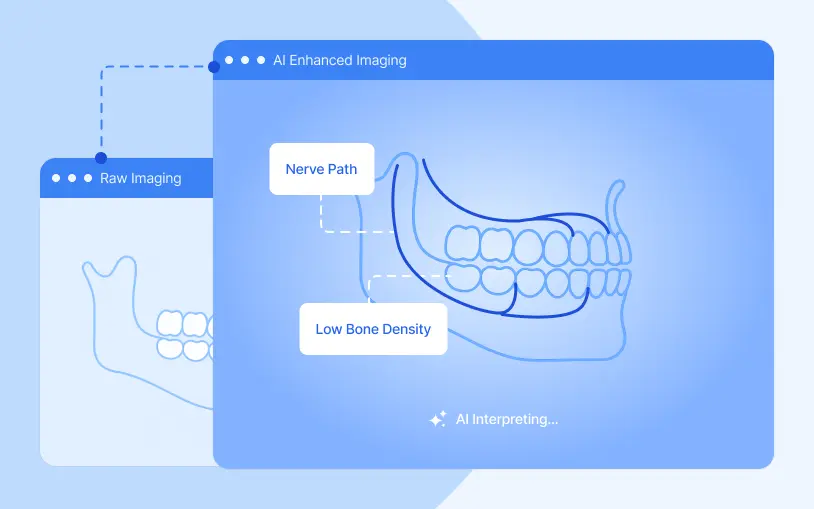
DSN Imaging has changed how we work day to day. We can capture, view, and manage scans all in one place, whether we’re in the office or working remotely. It’s faster, more efficient, and keeps everything connected. And because it’s built right into DSN Cloud, we don’t have to jump between systems. to access our scans
I have been in practice over 20 years, and tested almost all OMS EMRs. Without doubt DSN is the best software out there. Excellent functionality, useful reports and over all ease of use. Highly recommend it.

I have used DSN for 7 years now and am very happy with not only their software, but also their customer support.

I’ve been using DSN for 10 years, and honestly, my interaction with them has been minimal—but that’s a good thing. The software just works. It does what it’s supposed to do, so I don’t have to think about it.
DSN just saves us so much time. Whether it’s quickly pulling schedules or reports, every workflow has been extremely smooth. DSN’s support has been wonderful and it’s been such a smooth transition. I would recommend DSN 150%

I’ve been a DSN user since they launched their cloud platform, and it’s clear they genuinely care about their clients. Having everything centralized in one place has streamlined our workflows and communication across teams. Their team is always responsive, supportive, and their dedication to continuous improvement really stands out

DSN has been great! I have worked with 4 different programs and this would be my favorite thus far. While there is no such thing as a perfect software my personal opinion is that DSN comes pretty close!

I like looking at the numbers—referrals, new patients, production per day. It’s a lot easier to get that kind of information from DSN than from other EMRs I’ve used.

I am an Oral Surgeon and have been using DSN for over 4 years. I have been very pleased with their product service and personal relationship. I have always recommended this software to any OMS interested in improving their software management experience.

We have had the DSN Practice Management Software for over 8 years and could not be happier with it. The customer service is excellent and you feel more like a family member than just a client.

It was a little more expensive upfront, but you get what you pay for. In hindsight, we should have gone with DSN from the beginning. Since switching to DSN, everything’s faster. I have more time on my hands

DSN Cloud has been instrumental in streamlining our operations across our growing network of oral surgery practices. Their intuitive platform enhances patient flow, simplifies scheduling coordination, and provides the data-driven insights we need to maintain clinical excellence while scaling our organization. The team truly understands the unique needs of oral surgery practices.

I’ve had great experiences with DSN—fast support, easy updates, and a smooth migration. I always recommend it to anyone who asks.